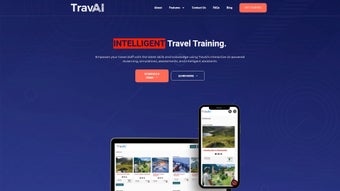

Download TravAI – AI‑Powered Travel Management Tool
Overview of TravAI
TravAI is a revolutionary AI tool specifically engineered for the travel industry. By merging advanced natural‑language processing, intelligent automation, and content‑generation capabilities, TravAI helps travel agencies, tour operators, and hospitality providers streamline daily operations, boost productivity, and deliver a more personalized customer experience. Whether you need a responsive chatbot that can handle thousands of inquiries on WhatsApp, a data‑processing engine that turns booking logs into actionable insights, or a content studio that drafts blog posts, itineraries, and social‑media captions in seconds, TravAI offers a unified platform that reduces manual effort while maintaining a high level of accuracy.
Its user‑centric design adapts to the unique workflows of each business, ensuring that the technology serves as an extension of your team rather than a cumbersome add‑on. The solution is cloud‑based, secure, and continuously updated, guaranteeing compliance with the latest data‑privacy standards and travel‑industry regulations. In short, TravAI empowers travel professionals to focus on creating memorable journeys for their customers while the AI handles the repetitive, data‑intensive tasks behind the scenes.
Key Features that Set TravAI Apart
- AI‑Driven Chatbot for WhatsApp & Web: Instant, multilingual responses to common travel queries, booking confirmations, and itinerary changes.
- Automated Data Processing: Extract, clean, and visualize large datasets from reservation systems, CRM tools, and feedback forms.
- Smart Content Creation Suite: Generate blog articles, destination guides, email newsletters, and social‑media posts with a single click.
- Workflow Automation: Schedule reminders, trigger follow‑up emails, and synchronize calendar events without manual intervention.
- Contextual Understanding: The AI learns from previous interactions, adapting tone and recommendations to each brand’s voice.
- Secure Cloud Architecture: End‑to‑end encryption, GDPR compliance, and role‑based access controls keep data safe.
- Real‑Time Analytics Dashboard: Track chatbot performance, conversion rates, and content engagement metrics.
- Multi‑Channel Integration: Connect with popular travel platforms such as Booking.com, Expedia, and Salesforce.
- Scalable Pricing Model: Pay‑as‑you‑go plans that grow with your business, from startups to global agencies.
- Continuous Updates: Monthly AI model improvements and new feature releases at no extra cost.
Installation, Setup, and Compatibility
Step‑by‑Step Installation Guide
Getting TravAI up and running is designed to be frictionless, even for teams without a dedicated IT department. Follow these steps:
- Sign Up: Visit the official TravAI website, click “Get Started,” and create a free account using your business email.
- Verify Your Domain: For WhatsApp integration, you’ll need to verify ownership of the phone number through the Facebook Business Manager.
- Download the Desktop Client (Optional): If you prefer a native experience, download the Windows or macOS installer from the “Downloads” section. The installer is signed and verified for security.
- Connect Your Data Sources: Use the built‑in connectors to link your PMS, CRM, or booking engine. Authentication is handled via OAuth, ensuring credentials are never stored locally.
- Configure the Chatbot: Choose a template (e.g., “Flight Inquiry” or “Hotel Support”), customize greetings, and set escalation rules for human agents.
- Launch the Content Studio: Select the content type, input keywords or topics, and let TravAI generate drafts. Review and publish directly to your CMS or social channels.
- Test and Go Live: Run a sandbox conversation, check analytics, and then enable the bot for real customers.
System Compatibility
TravAI is built on a responsive web framework, meaning it works on virtually any modern device. The following operating systems are officially supported:
- Windows 10, 11 (64‑bit)
- macOS 12 Monterey and newer
- Linux distributions with kernel 5.4+ (via Docker container)
- Android 8.0+ (mobile app for on‑the‑go management)
- iOS 13+ (iPad and iPhone companion app)
Because the core engine runs in the cloud, processing power on the client side is minimal. A stable internet connection (minimum 5 Mbps) is the only real requirement for optimal performance. All data transmission is encrypted with TLS 1.3, and the platform adheres to ISO 27001 security standards.
Pros, Cons, and Frequently Asked Questions
Pros & Cons
- Pros:
- Highly specialized for travel, saving time on customization.
- Robust WhatsApp chatbot that handles high‑volume queries.
- AI‑generated content reduces marketing workload.
- Seamless integration with major booking and CRM platforms.
- Scalable pricing suitable for both SMEs and enterprises.
- Secure, GDPR‑compliant cloud infrastructure.
- Continuous AI model updates without extra fees.
- Cons:
- Initial setup of WhatsApp Business API can be technical for beginners.
- Advanced analytics require a paid tier.
- Limited offline functionality; a stable internet connection is mandatory.
- Customization beyond templates may need developer assistance.
Frequently Asked Questions
Is TravAI free to try?
Yes, TravAI offers a 14‑day free trial with full access to chatbot, data processing, and content creation features. No credit card is required to start the trial.
Can TravAI integrate with my existing booking system?
TravAI supports native connectors for popular systems such as Sabre, Amadeus, and Booking.com. For custom PMS solutions, a REST API integration can be built within 2–3 business days.
How secure is the data processed by TravAI?
All data is encrypted in transit (TLS 1.3) and at rest (AES‑256). TravAI complies with GDPR, ISO 27001, and PCI‑DSS, and offers role‑based access controls for your team.
Do I need technical expertise to create AI‑generated content?
No. The content studio provides intuitive templates and a simple keyword input field. You can edit the AI draft before publishing, making it suitable for non‑technical marketers.
What support options are available after purchase?
TravAI offers 24/7 email support, live chat during business hours, and an extensive knowledge base. Premium plans include a dedicated account manager and priority response.
Expert Review
Rating: 4.6/5
Alex Morgan
TravAI delivers a compelling mix of AI‑driven automation and travel‑specific intelligence. The WhatsApp chatbot is responsive, the data analytics are insightful, and the content generator cuts down marketing time dramatically. While the initial API setup can be a hurdle, the long‑term efficiency gains make it a worthy investment for agencies looking to modernize their operations.
Conclusion – Is TravAI Right for Your Travel Business?
In a market where speed, personalization, and data‑driven decisions define success, TravAI stands out as a purpose‑built AI companion for travel professionals. Its combination of a multilingual WhatsApp chatbot, powerful data‑processing engine, and on‑demand content studio equips agencies to handle higher inquiry volumes, extract actionable insights, and maintain a vibrant online presence without expanding headcount.
If you’re a travel startup seeking a cost‑effective way to automate routine tasks, or an established tour operator looking to upgrade legacy systems, TravAI offers a scalable, secure, and continuously improving platform. The free trial allows you to test every feature before committing, and the flexible pricing ensures you only pay for what you use.
Ready to boost productivity, enhance customer satisfaction, and stay ahead of the competition? Download TravAI today and experience the future of travel management.



.png)



